Walk Your Cellar
The fastest way to digitize a real collection: film short clips as you walk each section. Name areas on a layout pass, then inventory with your voice — producers, counts, even row and depth when you know them.
- Layout pass maps doors, racks, and floor space
- Multi-clip inventory for large sections (~1 min each)
- Bottles stamped with section and slot when known
- Resume anytime — free inventory clips, then Pro for more
AI Label Scanning
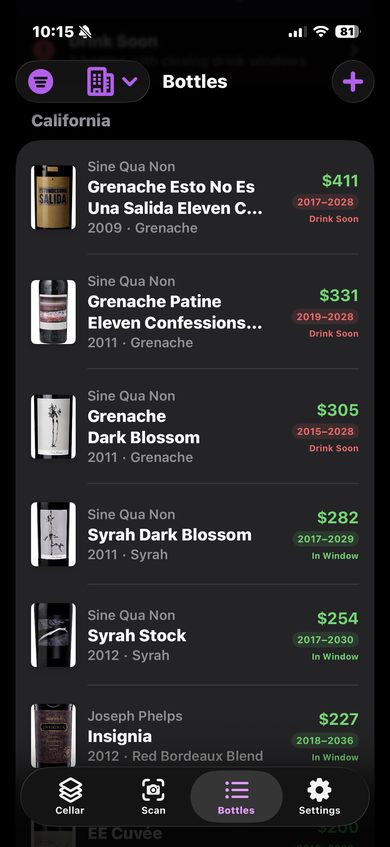
When you're adding a single bottle, point your camera at the label. CellarVision identifies producer, wine name, vintage, varietal, and region in seconds.
- Works with any label, any language
- Fills in producer, vintage, varietal, region, and appellation
- Barcode scanning for instant UPC/EAN bottle lookup
- Great for day-to-day adds after your walkthrough
Tasting Notes & Food Pairings
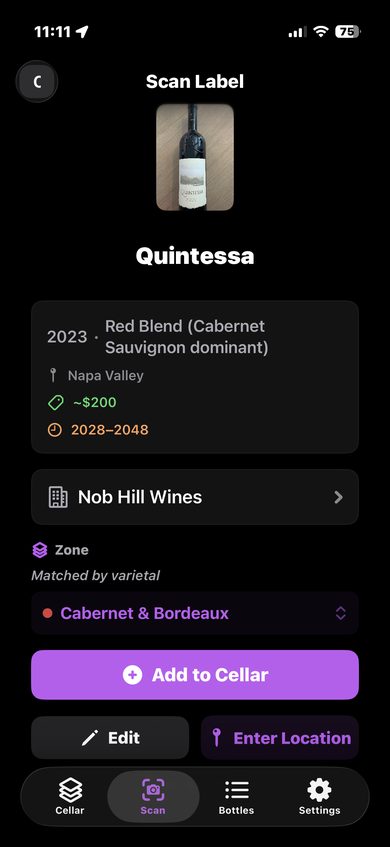
Every bottle gets rich, AI-generated tasting notes and food pairing suggestions. No sommelier certification required.
- Detailed flavor profiles tailored to each wine
- Food pairing suggestions you'll actually use
- Shared catalog — notes improve for everyone over time
Drink Window Tracking
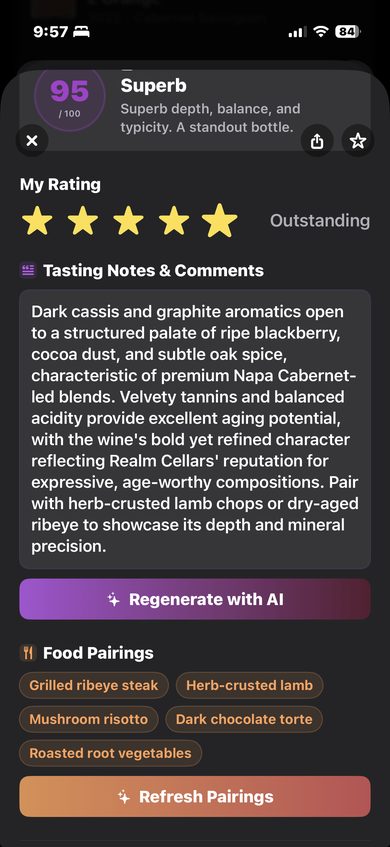
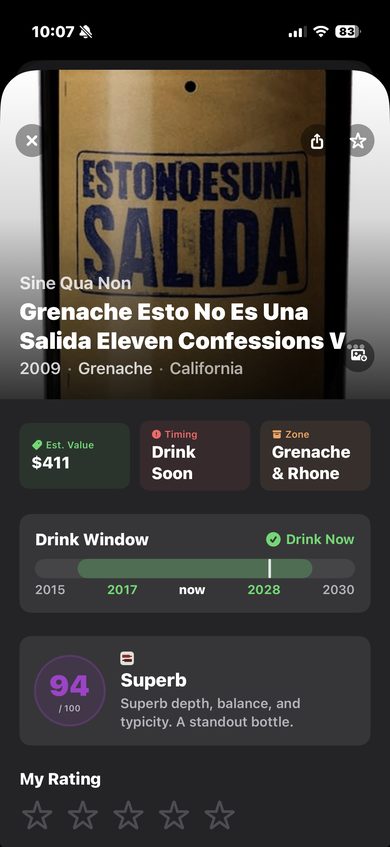
CellarVision automatically estimates drink windows based on varietal and style. Color-coded badges tell you at a glance what's ready, what's aging, and what needs your attention now.
- Drink Soon — in window and ending within 2 years
- In Window — currently at its peak
- Aging — still developing, not yet ready
- Past Peak — past the recommended window
Collection Value & Analytics
Track the estimated market value of every bottle and your entire cellar. See how your collection appreciates over time with monthly snapshots.
- Per-bottle value estimates
- Total cellar value dashboard
- Top 5% flagged as "Special Occasion" bottles
Consumption Journal
When you open a bottle, capture the full experience — not just "consumed." Log the date, occasion, your personal tasting notes, a 1-5 star rating, and an optional photo. Your notes live alongside AI-generated tasting notes, so you always have both the reference and your own memory.
- One-tap "Mark as Consumed" with optional details
- Date (defaults to today), occasion, personal notes, rating, photo
- Personal notes coexist with AI tasting notes on the bottle detail
- Consumed bottles feed into drinking history analytics (Pro)
App screenshot coming soon
Spending & Drinking Analytics
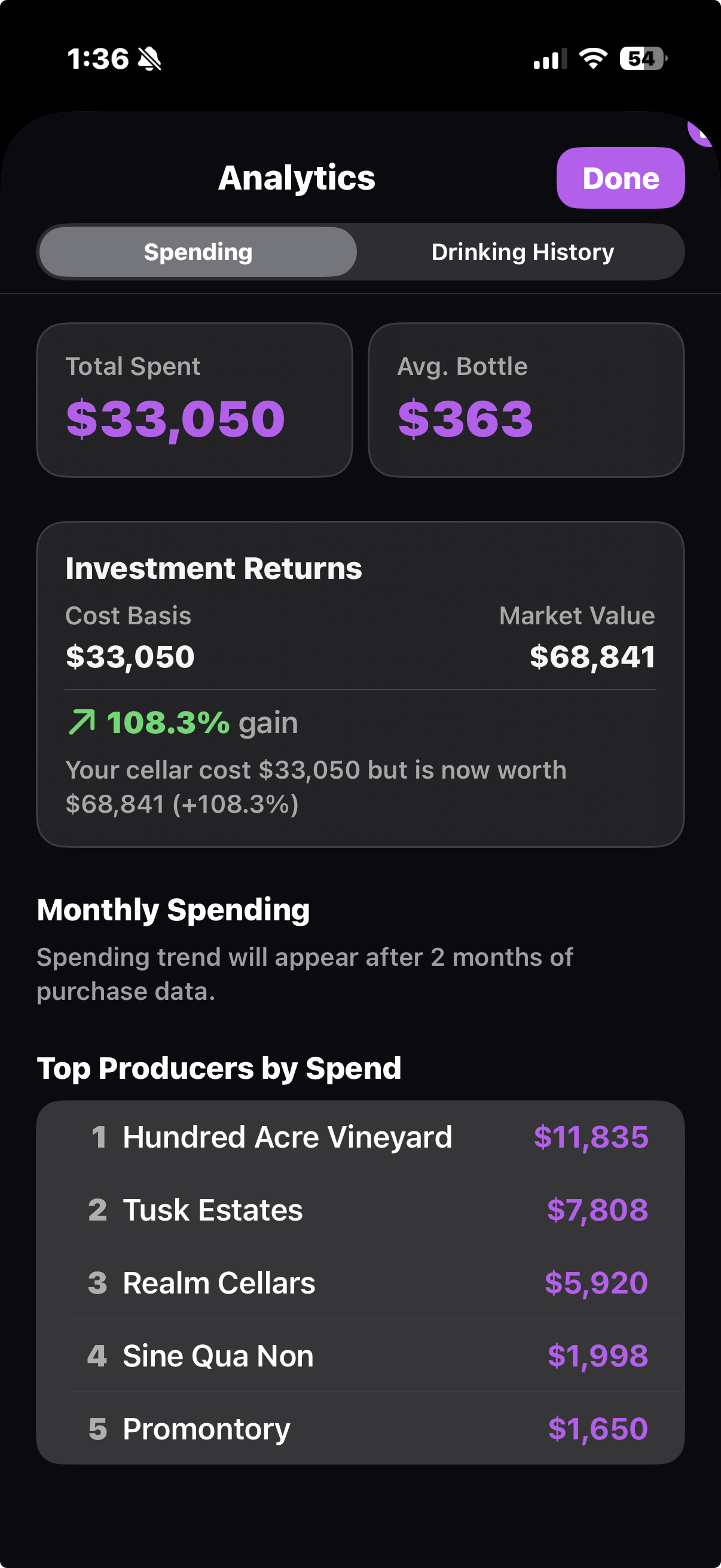
Understand your wine habits with detailed spending breakdowns and drinking history. See where your money goes, track your ROI, and discover your most-enjoyed varietals and producers. Every bottle you log through the consumption journal shows up here with occasion badges, notes, and photo thumbnails.
- Total spent, average price, and monthly spending trends
- Cost basis vs. market value ROI
- Drinking history timeline with occasion badges, notes, and photos
- Top varietals, regions, and producers
Email Order Ingestion
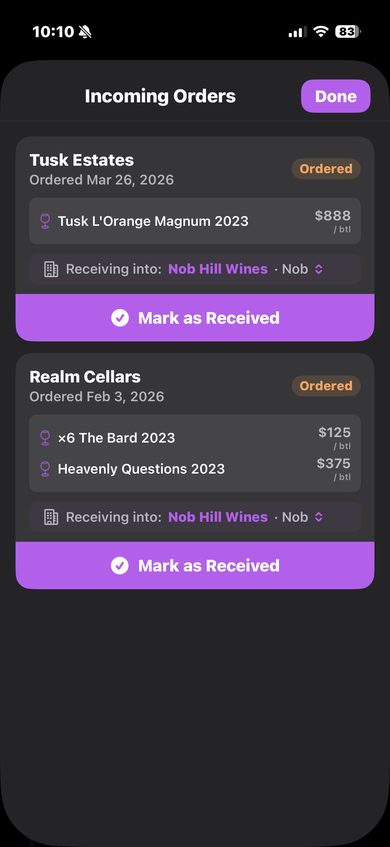
Forward your winery order confirmation emails to CellarVision. AI reads the email, extracts every bottle, and adds them to your pending inventory. When they arrive, one tap marks them as received.
- Forward any winery order email
- AI extracts wines, quantities, and order details
- Deduplication — forward the same email twice, get one order
- "Mark as Received" promotes to your cellar
Wish List & Price Comparison
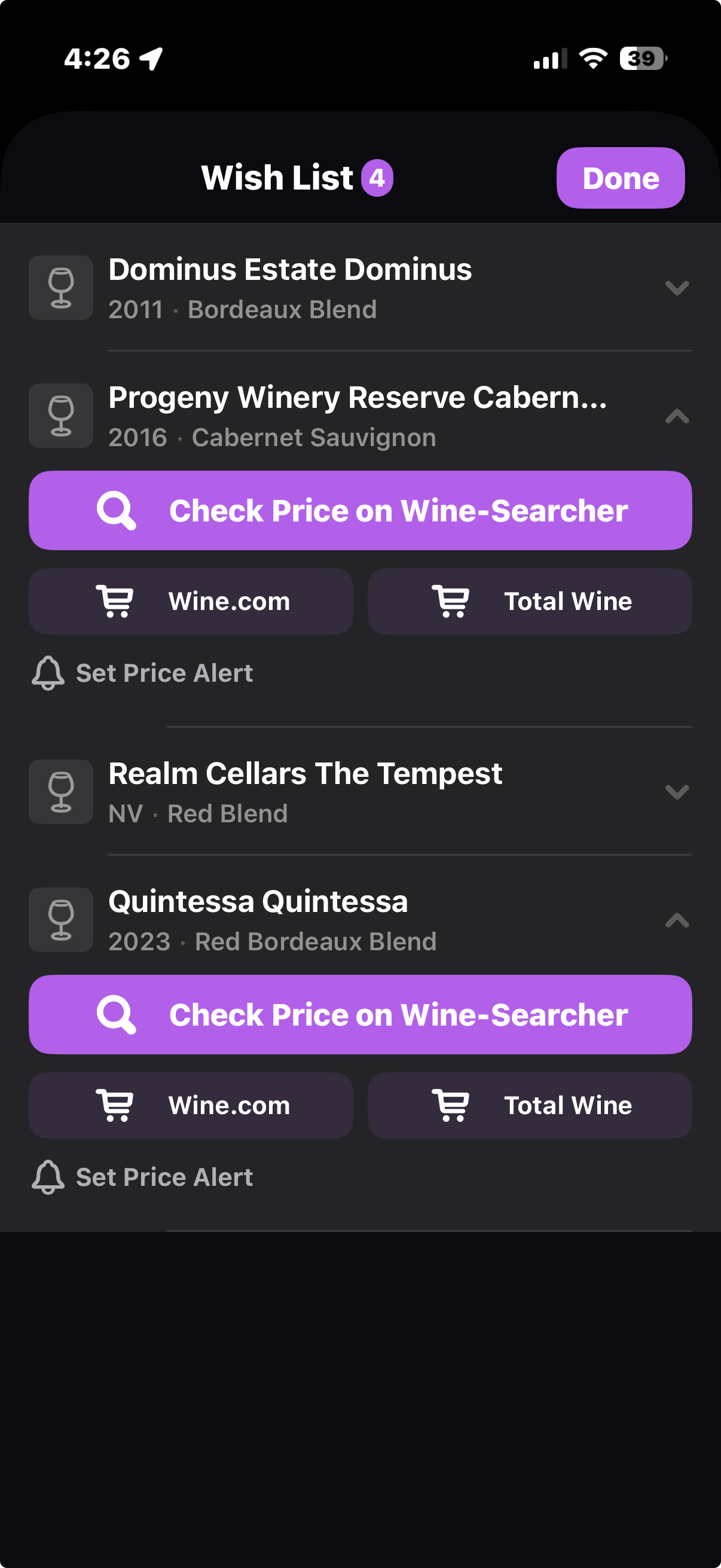
Save wines you want to buy and compare prices across retailers. Tap to check current pricing on Wine-Searcher, Wine.com, or Total Wine — all from one screen.
- Add to wish list from scan review or manually
- One-tap price comparison across retailers
- Set price alerts for wines you're watching
- Mark as purchased and add directly to your cellar
Smart Organization
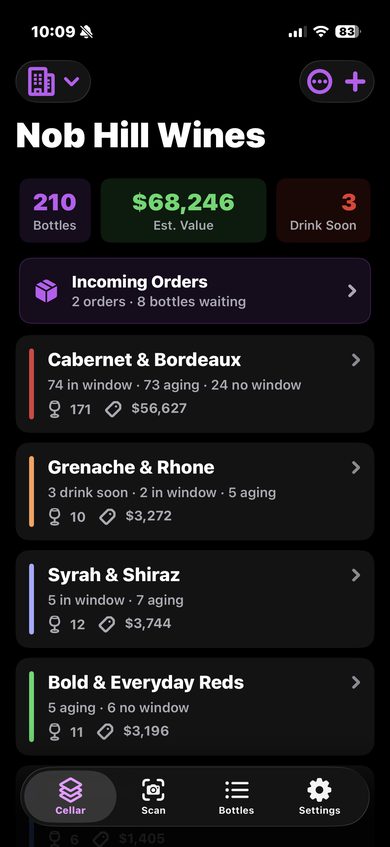
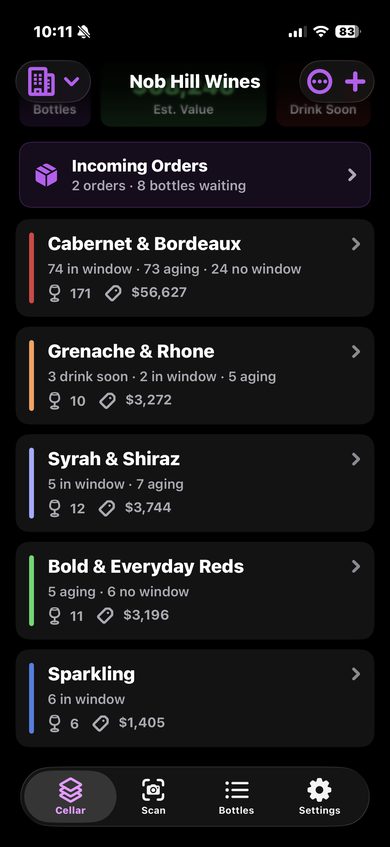
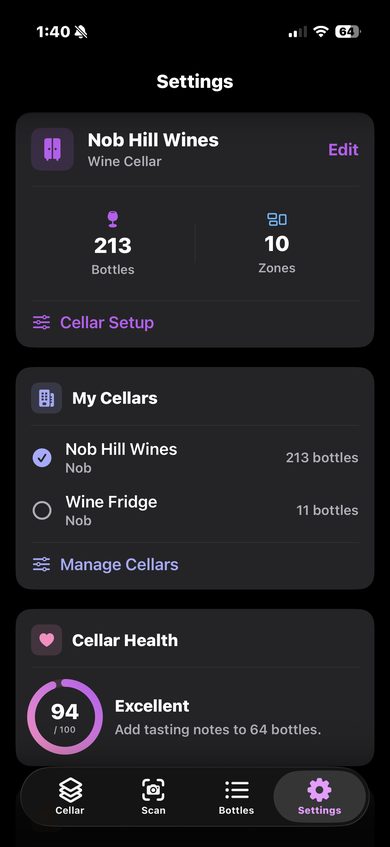
Bottles automatically sort into flavor-based zones — Cabernet & Bordeaux, Pinot Noir & Burgundy, Sparkling, and more. Track multiple cellars and locations without lifting a finger.
- 10 flavor zones, auto-assigned by varietal
- Multiple cellars and storage locations
- Free-text location notes per bottle
- Re-organize anytime from Settings
CellarTracker Import
Already tracking your wines somewhere else? Export your CellarTracker library and import it into CellarVision in one step. Every bottle comes over with full details.
- One-step CSV import
- Maps all fields — producer, vintage, varietal, region, value
- Auto-assigns zones and enriches with label images
Collector Milestones
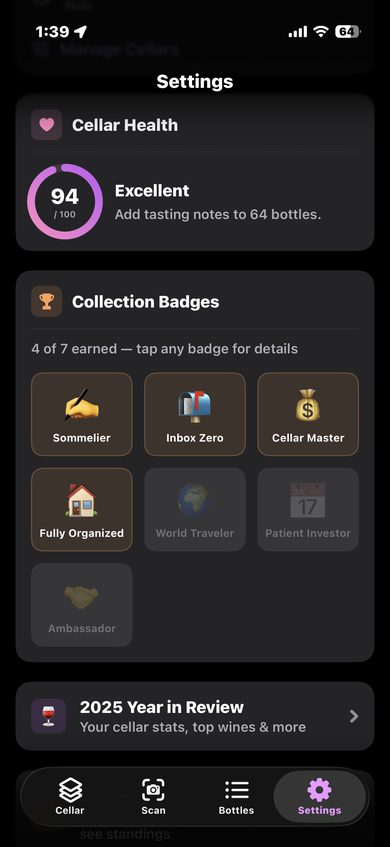
Earn badges as your cellar grows. CellarVision tracks your progress and celebrates milestones — from your first bottle to building a world-class collection.
- Badges for bottle count, collection value, and variety
- Milestone icons visible on your profile
- Track your journey from casual sipper to serious collector
Bottle Sharing
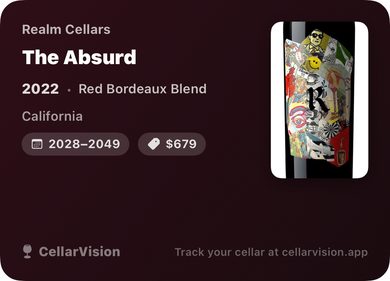
Share any bottle as a beautifully designed card — producer, vintage, value, drink window, and label photo. Perfect for group chats and social media.
- One-tap share to any app
- Branded card with all key details
- Great for dinner party planning and recommendations
Multiple Cellars
Track bottles across multiple locations — home, vacation house, off-site storage. Each cellar has its own zones, values, and inventory. Switch between them with a tap.
- Separate cellars for each location
- Independent zone layouts and bottle counts
- Quick-switch from the Cellar tab header
Year in Review & Leaderboards
See your annual drinking stats — most-opened varietals, top producers, bottles consumed, and how your cellar evolved. Opt in to the leaderboard, or browse public collections on the web.
- Annual stats and highlights (Pro)
- Community leaderboards in the app
- Public cellar pages you can share